Work/ChubbCase study · 2019–2025
A working desk for agents who write cyber
Chubb, through Goods & Services: Cyber Central, a quoting and opportunity platform for agents and brokers writing cyber, technology E&O and professional liability on a stand‑alone basis, inside a multi‑year engagement that also took in the Contact Us experience, global digital claims transformation, the claims and payments playbooks, the Village intranet and the design system.
- Client
- Chubb
- Agency
- Goods & Services, Atlanta
- Role
- Experience design lead
- Dates
- 2019 – 2025
- Output
- Cyber Central dashboard, quoting and opportunities; Contact Us audit and recommendations; claims and payments playbooks; Village intranet; design‑system updates
An agent quoting cyber cover for a small business was working across systems that did not know each other, while the best leads sat unnoticed in Chubb’s own book.
Cyber, technology E&O and miscellaneous professional liability are fast‑moving lines: appetite changes, pricing changes, and the agent needs an answer while the client is still on the phone. Chubb had the underwriting and the data. What it did not have was a single place where an agent could see what was quotable today, what the carrier’s appetite was for it, and which of their existing accounts, every business owner’s policy without cyber, was a quote waiting to happen.
- Three lines, one desk. Cyber, tech E&O and MPL quoted stand‑alone, with the same account, notification and resource model underneath.
- Appetite is the first question. Before any form, the agent needs to know whether Chubb wants the risk: bindable, may refer, more information required.
- The book is the pipeline. Cross‑sell opportunities had to be generated for the agent, not searched for: every account with a Business Owner’s Policy and no cyber cover is a ready‑made one.
-
1
Make the home page a to‑do list, not a report.
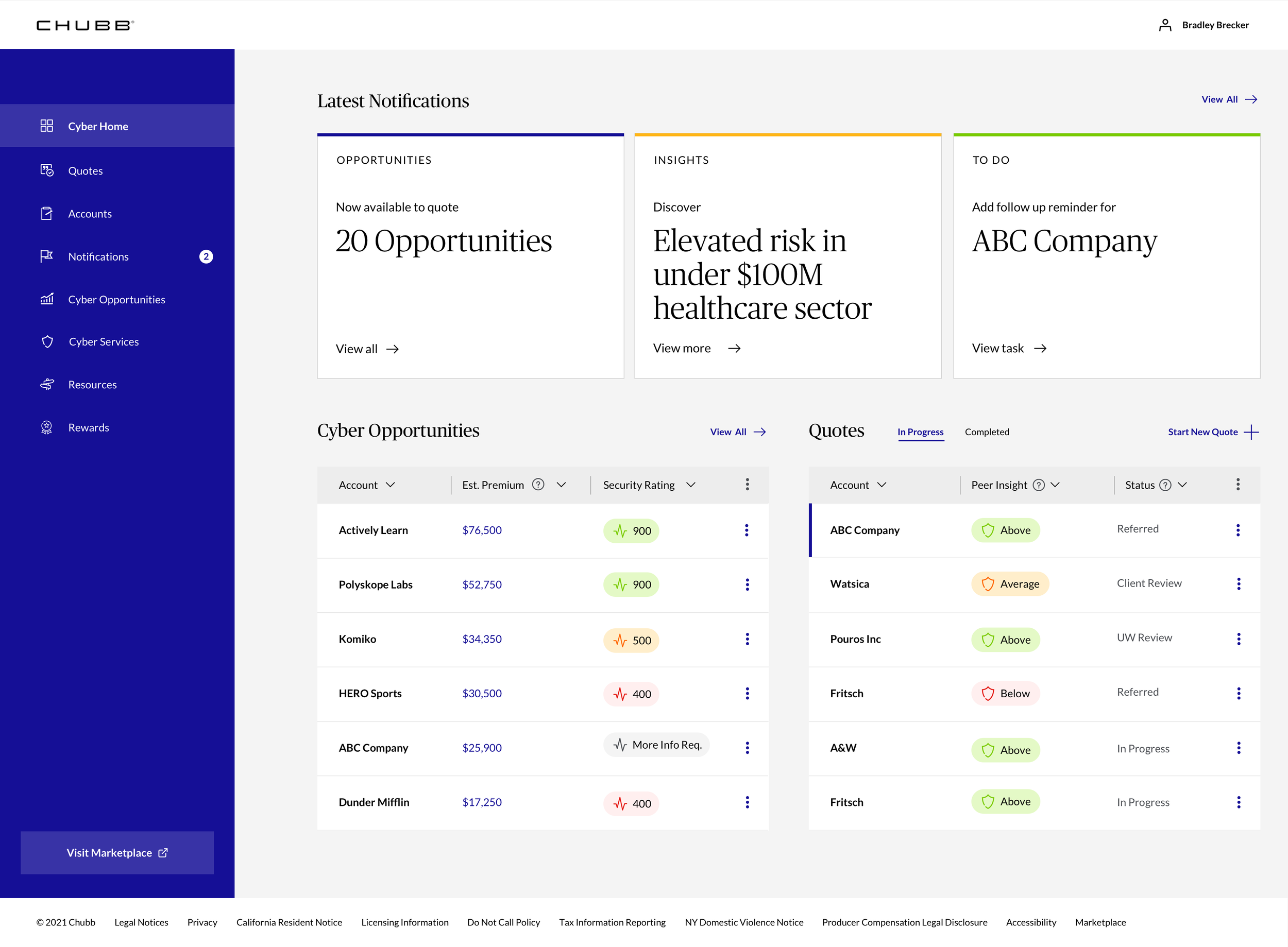
Cyber Home opens on three cards, opportunities, insights and to do, above two tables the agent actually works from: cyber opportunities with estimated premium and a security rating, and quotes in progress with peer insight and status. The page was designed in its empty states first, day one, no opportunities yet, a few, so the first week felt as deliberate as the first year.
Turned down: a KPI dashboard. An agent does not need a chart of their quotes; they need the next one.
-
2
Put appetite on the row, and the reasoning in the quote.
Every opportunity carries an appetite check, bindable, may refer, more info required, and every quote carries a peer insight, above, average or below, so the agent knows which conversations to have before opening a single form. Inside the quote, a Coverage Guide answers the client’s inevitable “how much?” three ways: what peers with the same revenue and industry buy, what a cyber incident would cost against the limit selected, and the account’s security rating against the industry average, each one a click from Add to Quote. The quoting flow runs from an indicative quote through to bind, with a full account record, notifications, resources and rewards hanging off the same navigation.
Turned down: a generic quote wizard. The sitemap separates cyber quoting, indicative quoting and bind quoting because they are different jobs on different days.
-
3
Fix Contact Us before building anything on top of it.
In March 2020 Chubb asked for the dotcom Contact Us experience to be audited and re‑sketched in three weeks: one consistent experience wherever it is started, more self‑service to take load off the call center, and a first view of Contact Us as a top‑of‑funnel path to an agent. The sketches put the likely answer above the form, offer sign‑in to file a claim online, and introduce a Chubb assistant for the questions a form cannot ask.
Turned down: concepting the lead‑shaping funnel in the same three weeks. It was scoped as thoughts, not screens, so the audit could land on time.
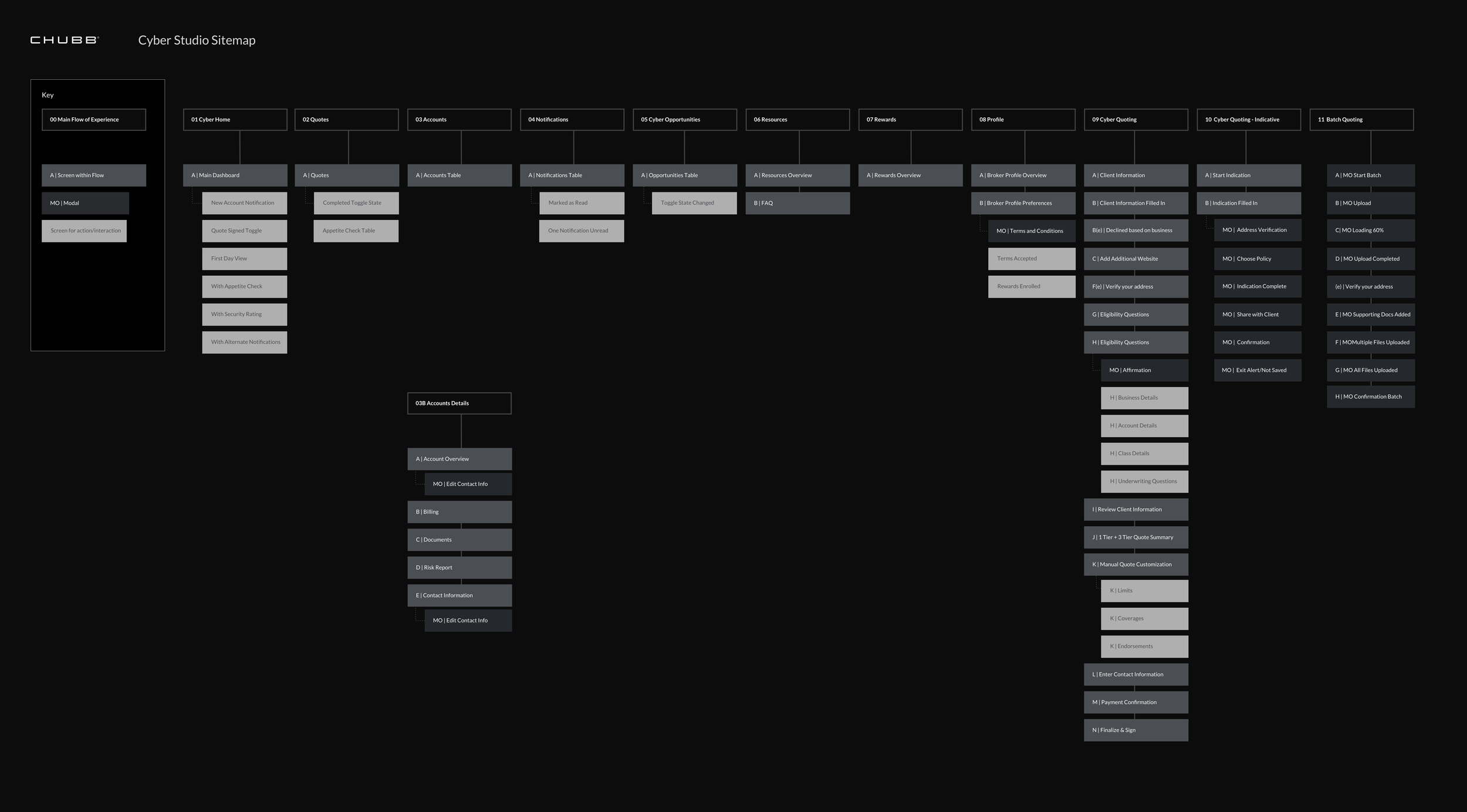
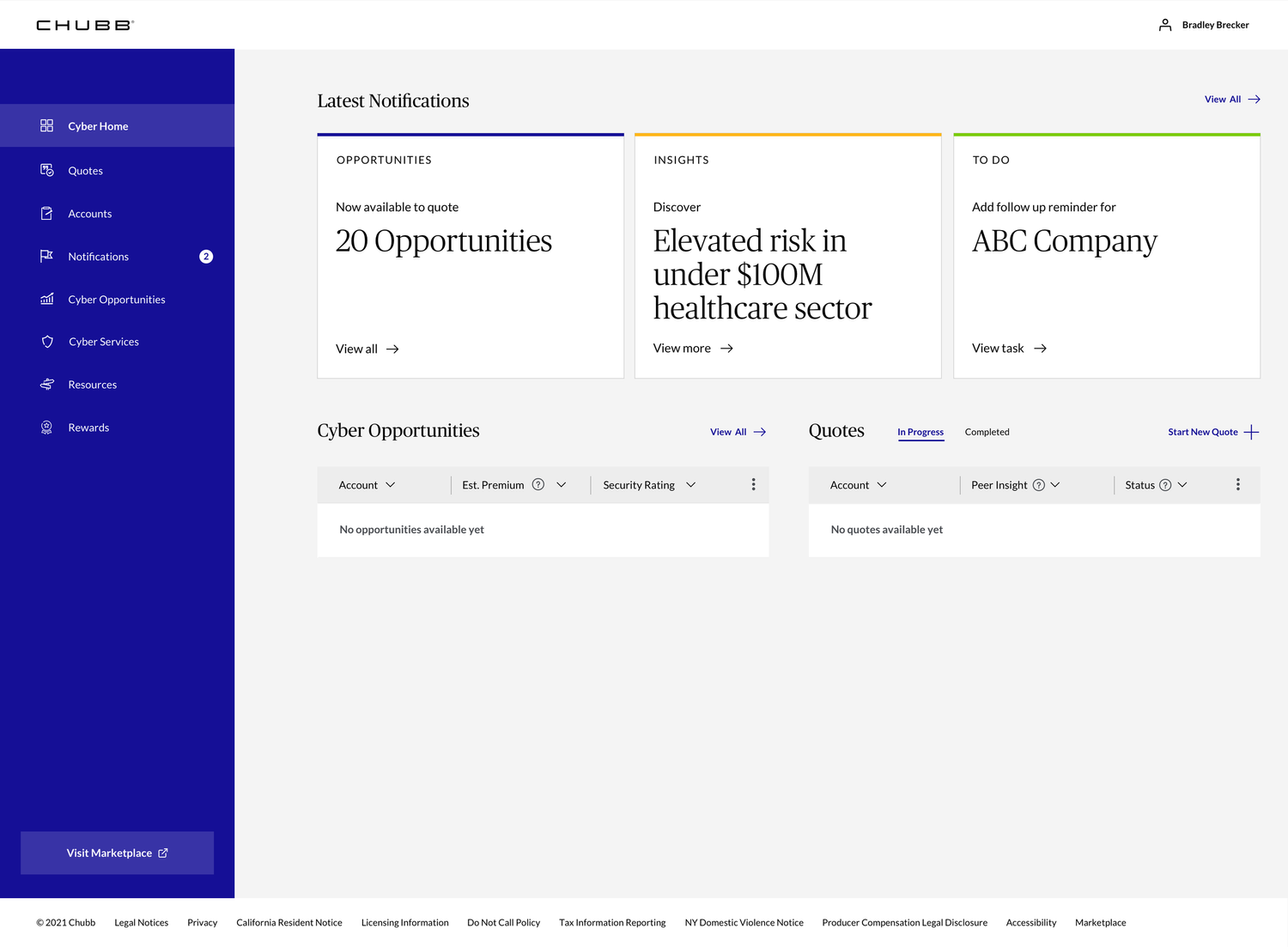
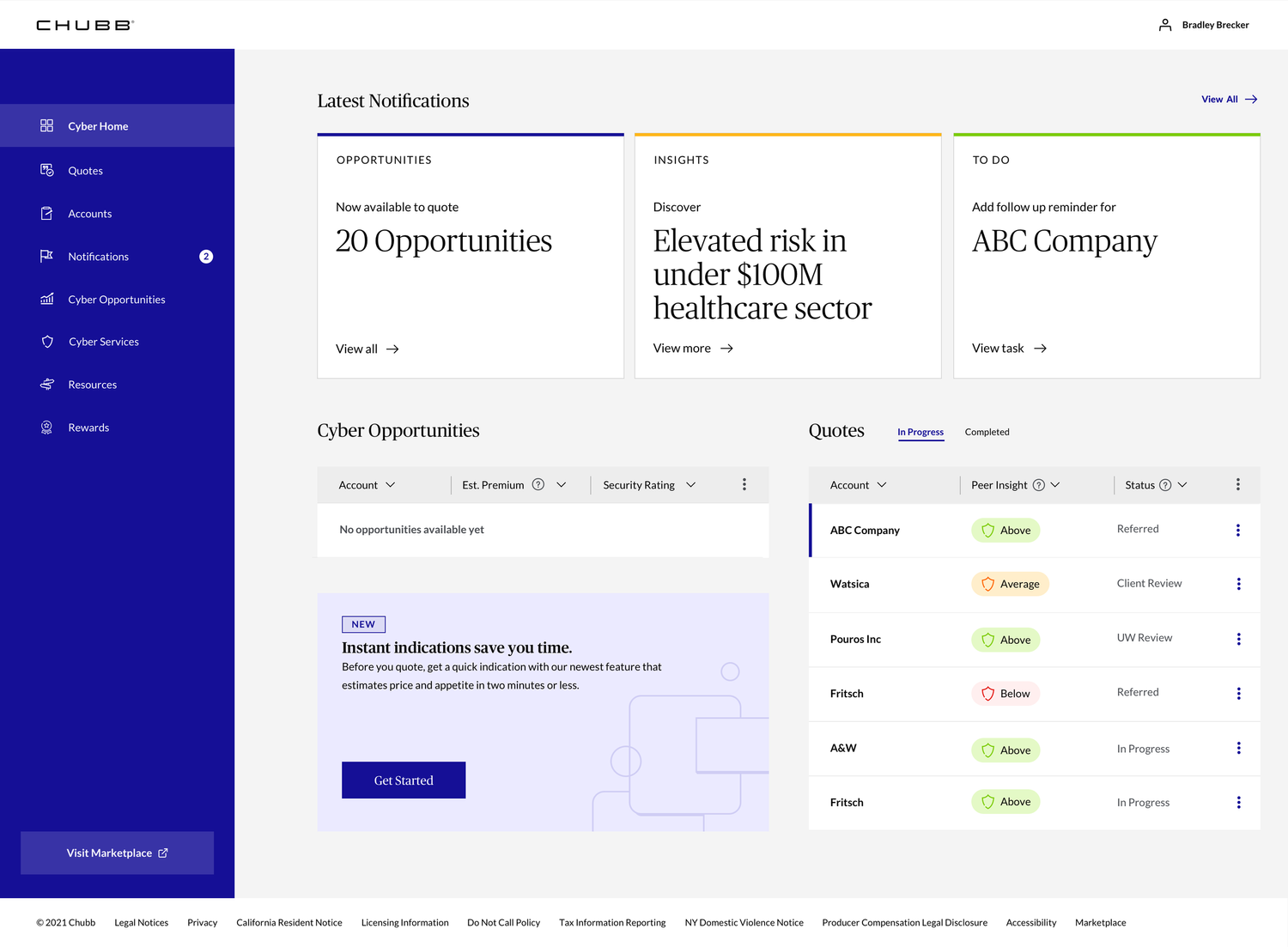
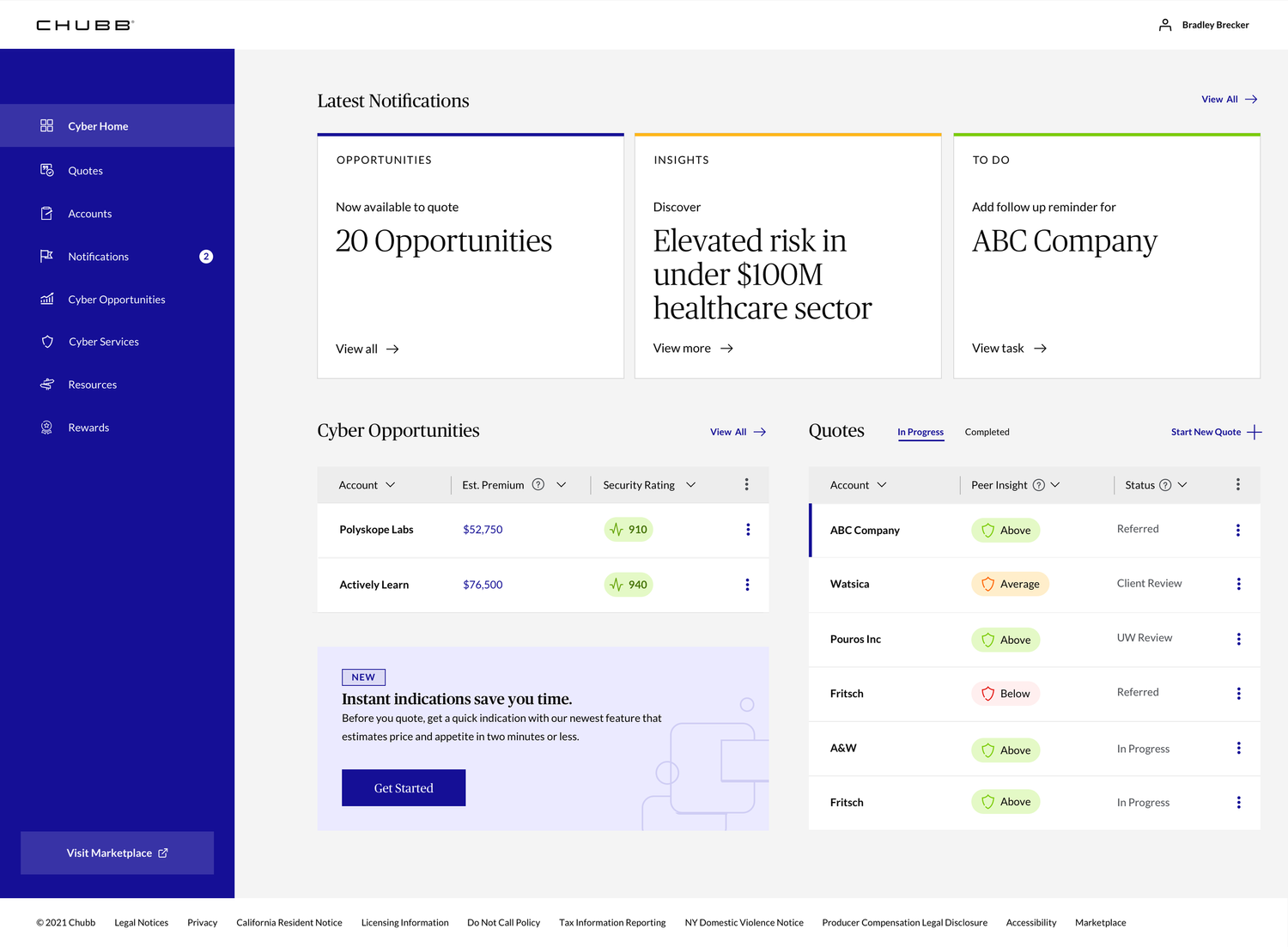
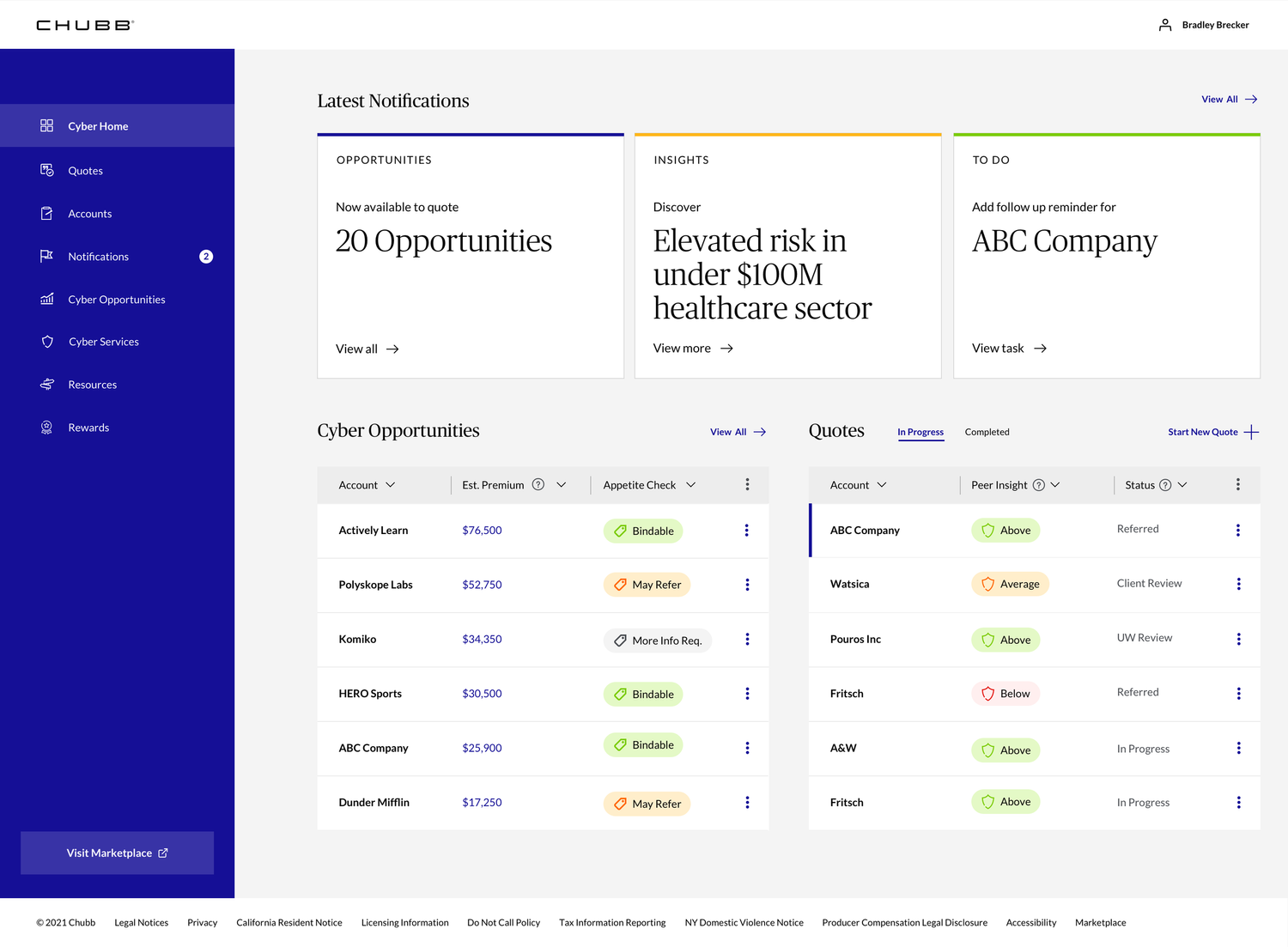
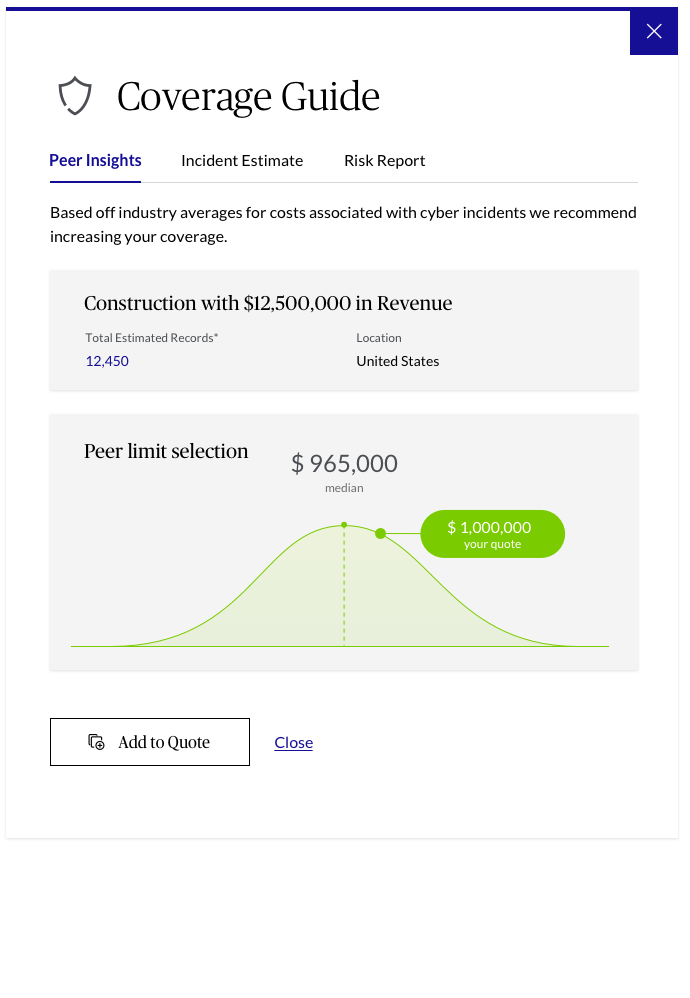
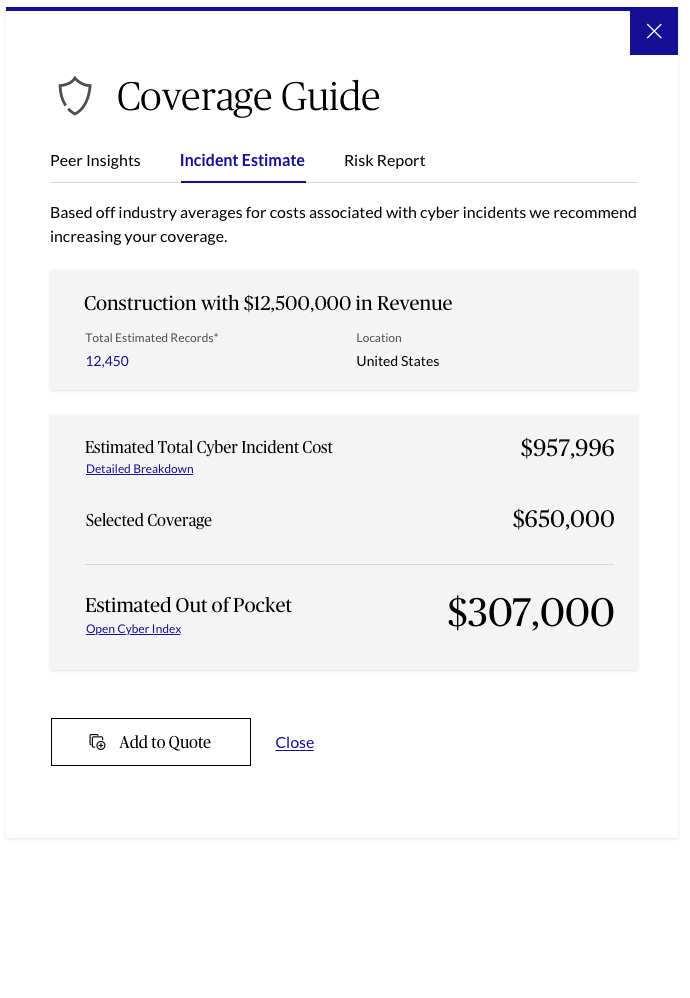
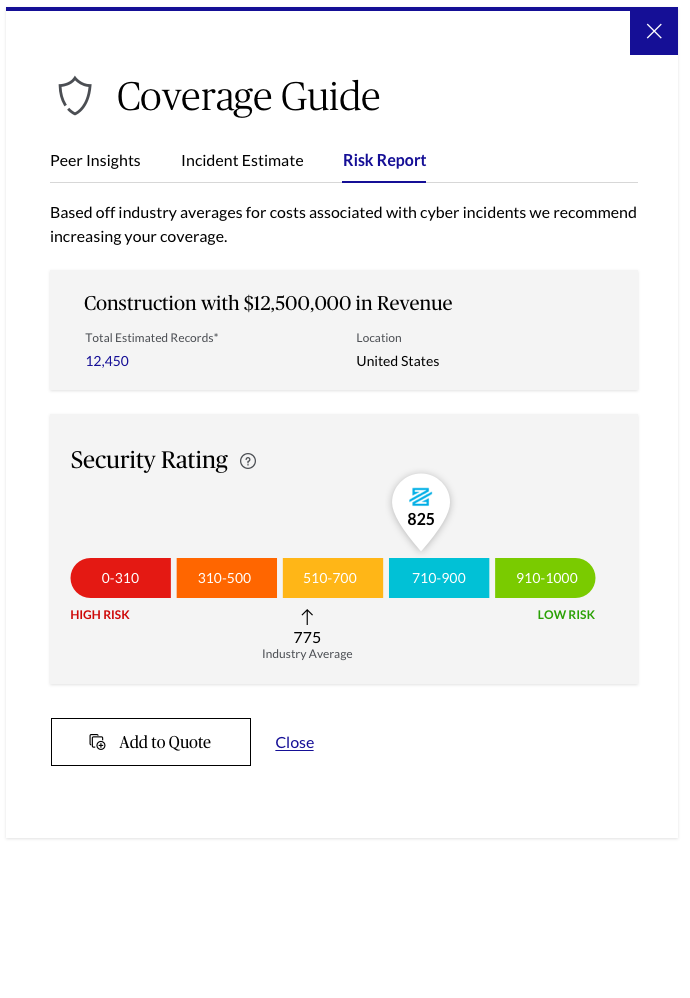


- Cyber CentralHome, opportunities, quoting and account experience designed through its empty, partial and full states, with the Cyber Studio sitemap as the shared map for product and engineering
- Contact UsUS audit, quick‑hits and reference sketches delivered on the three‑week plan, March to April 2020
- The long engagementFive further workstreams across 2019 to 2025, below
- Global digital claims transformation. The experience strategy and design for Chubb’s digital claims journeys across markets.
- The claims playbook. The patterns, flows and rules a claims team follows so every market’s claims experience is recognizably Chubb.
- The payments playbook. The same for how Chubb takes and makes payments digitally.
- Village. Revitalizing Chubb’s intranet for the people who work there every day.
- The design system. Modernizing the component library and guidelines that the digital teams build from.
Cyber Central gave agents a working desk. The same thinking, pointed at the people who run the book, is one screen where exposure, claims and renewals move together. Watch a storm cross the city and losses land as it passes, read the first notices as they come in, and see related claims connect in the fraud graph. A working concept with simulated data: the city, the accounts and the parties are invented.
Total insured value
In the storm path
Reported losses today
Open claims
Renewals · 30 days
Fraud alerts
Exposure map · Storm cell tracking
Reported losses first notice of loss, as filed
Fraud graph claims and the parties behind them
Renewals pipeline premium due, next 8 weeks
Loss ratio · rolling 12 months target 62%
Claims by stage today
I led experience design for Chubb at Goods & Services across the engagement: the Cyber Central information architecture, dashboard and quoting experience, the Contact Us audit and sketches, and the claims, payments, intranet and design‑system work that followed. Chubb’s digital product, underwriting and claims teams were the partners in every workstream.